




I just posted the following on the motorhome forum I belong to, & it occurred to me that it might also be of interest to some of the folks here.
Anyone considering fitting a rear vision camera - ie. one that replaces a rear vision mirror , for constant use whilst driving (as opposed to just for reversing) are best to fit a narrower angle of view camera than the majority of reversing cameras. It gives a greater depth of field allowing approaching traffic to be identified earlier. Whilst an improvement on the wide angled cameras, the narrower angle ones are still not as good as a 'real' mirror, so wing mirrors remain essential (& no doubt a legal requirement).
Most reversing cameras have a viewing angle of between 90 degrees & 180 degrees. All sellers reckon theirs is best. I fitted a dual camera system sold by
http://www.chinavasion.com/china/who...ing_Camera_Kit
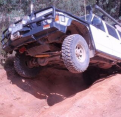
to our Nissan Patrol based camper, & recently bought the same again to replace the almost dead camera on our bus. The rear vision camera has a viewing angle of 60 degrees whilst the reversing camera has a viewing angle of 180 degrees. The latter is good for watching your bumper & just beyond, but I find the 60 degree preferable for reversing too. Unfortunately the 60 degree camera is not available on it's own or I would have bought just that for the bus replacement.
CCD sensors in the camera give a far superior image than CMOS & are well worth the extra cost.
On both occasions I have purchased from the seller in the above link, they have been very good to deal with, & the cameras have arrived (from Hong Kong) within a week! The only downside of these cameras is that they only come with about 6 metres of cable. This was sufficient for our camper & luckily I am able to use the cable from my previous camera install in the bus.
To date I have not been able to find any other source of the narrower angle of view cameras, & request that if anyone knows of other sources that they add links/details to this thread.
Cuppa

 Reply With Quote



 Originally Posted by threedogs